Summary: New AI capabilities create opportunities to rethink how we work. We break down how to build your own AI news agent to follow useful updates, identify ideas worth testing and save time keeping up with developments.
Written By: Asta Vallis
Date: 28.10.2026
Read length: 3 minutes
Spark AI is the AI performance partner that builds organisation-wide AI capability for creative agencies and brand teams. We take ambitious teams from fragmented experimentation to AI embedded across their people, processes and systems – so it delivers real commercial impact.
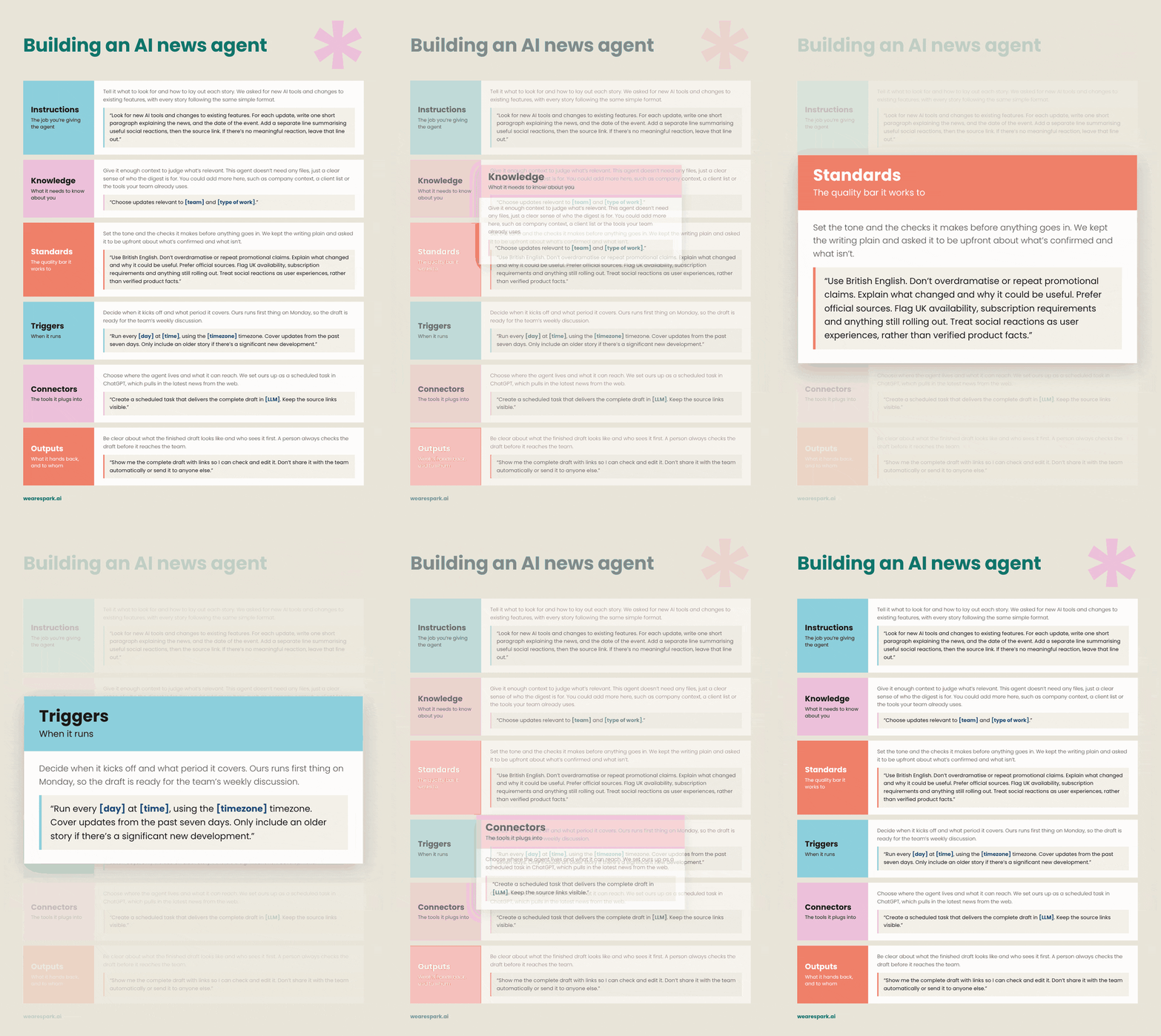
One of the biggest opportunities with AI is redesigning how work gets done. As models improve and new features are released, we can rethink existing workflows and explore approaches that weren't previously possible.
But keeping up with all those updates can feel overwhelming.
That's why we've set up an AI news agent at Spark AI. It helps us identify opportunities to improve how we work.
How do you set up your own AI news agent?
Start with the brief first. Use the checklist below as a guide for what the instructions need to include. Messy notes are fine, as you can feed it to your LLM and ask it to turn them into a structured set of instructions. If you do this, make sure that you always read the instructions back. At Spark AI, we advocate for Think - AI - Think. Sometimes the LLM can misinterpret what you wanted, creating a poor output.
Once you're happy with it:
On Claude, go to Schedule Tasks.
On Gemini, go to Scheduled actions in settings (Google AI Pro/Ultra or a qualifying Workspace plan).
On ChatGPT, press Agents in the sidebar and select Add.
On Copilot, select Agents in the sidebar and choose New Agent (Microsoft 365 Copilot).
Name it "AI News Agent" and paste in your prompt.
What should I include in the prompt?
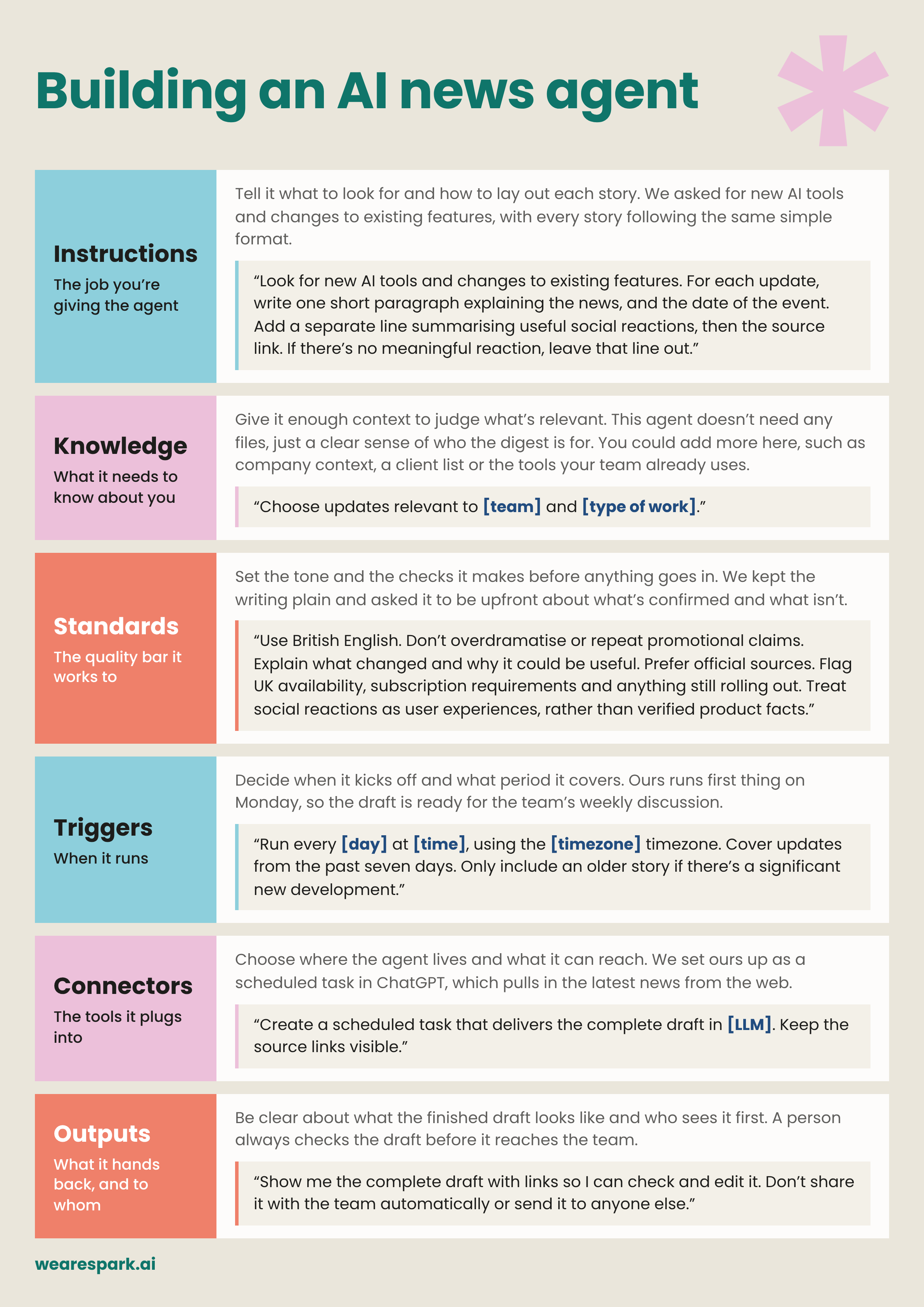
There are 6 components to an Agent. You can learn more about the 6 components in our blog here them here.
1. Instructions – What should it do?
Start by defining exactly what you want your agent to look for.
We ask ours to find new AI tools and feature updates, explain what's changed and provide a link to the original source.
We also ask it to include useful social reactions. It's interesting to see how people are responding to new capabilities and what they're discovering through their own experiments.
Be specific about the timeframe. Our agent is instructed to only include updates announced within the past seven days, rather than filling the digest with older articles or previously released features.
2. Knowledge – What does it need to know?
Give your agent enough context to understand what's relevant to you.
Tell it about your role, the type of work your team does and the AI tools you use regularly. You could also include information about your clients or the workflows you're interested in improving.
You might want to focus on updates to a specific LLM, such as ChatGPT or Claude, or follow broader developments in AI policy, privacy and regulation.
This helps your agent prioritise news you'll actually find useful.
3. Standards – What's worth including?
Set clear expectations for the quality of information you receive.
We ask our agent to prioritise official sources, explain why an update might be useful and flag restrictions such as regional availability, subscription requirements or features that are still rolling out.
We also ask it to distinguish confirmed information from opinions or experiences shared on social media.
The aim is to receive a useful digest you can trust and review, rather than a collection of headlines.
4. Triggers – When should it run?
Decide how frequently you want your agent to work and what period it should cover.
Ours runs every Monday morning, looking at updates from the previous seven days.
5. Connectors – What should it connect to?
Think about where your agent will find information and which tools it needs access to.
We use a scheduled task in ChatGPT to research updates from the web.
If you regularly read AI newsletters, you could also connect your Gmail account and instruct the agent to use those newsletters.
You can give it specific publications or sources to prioritise, so it builds on information you already find useful.
6. Outputs – What should it produce?
Decide what the finished digest should look like and where you want to receive it.
We prefer ours to produce a draft directly in ChatGPT. This gives us an opportunity to review the information, ask follow-up questions and refine the output before sharing relevant updates with the team.
Why is it worth spending time improving your agent?
Getting an AI agent to produce exactly what you want can take a few iterations.
You might find that the first digest includes too many irrelevant stories, or doesn't explain the updates in enough detail.
Rather than correcting the same issues every week, use that feedback to improve the agent's instructions.
Explain what wasn't useful and why. Show what a ‘good’ outcome looks like.
Then update its saved instructions so the same expectations apply the next time it runs.
Frequently asked questions
Do you need coding skills to build an AI news agent?
No. You can start with plain-language instructions and a scheduled task in an AI tool that supports recurring web research.
Where can I find more examples of AI agents and workflows?
You can watch a webinar with Jules Love, where he breaks down how to build Agents across Claude, ChatGPT and Gemini. If you're looking for more inspiration, read our blog on AI-assisted workflows to explore other ways you can put AI to work.
Why should agencies redesign their workflows with AI?
AI gives agencies the opportunity to rethink how work gets done, rather than simply speeding up existing processes. By redesigning workflows around what's now possible, agencies can find new ways to deliver work, improve quality and create more value for clients.
Want to learn more? Read our blog on why agencies should redesign their workflows with AI.
How can Spark help me build AI agents?
Our Agent Build Sprint is a two-day programme where we help your team redesign a workflow and build the AI agents to support it. You'll work on a real process from your organisation, so you come away with something practical you can put to use.
Spark AI – AI transformation, training and tools for agencies and brands. Your AI performance partner.